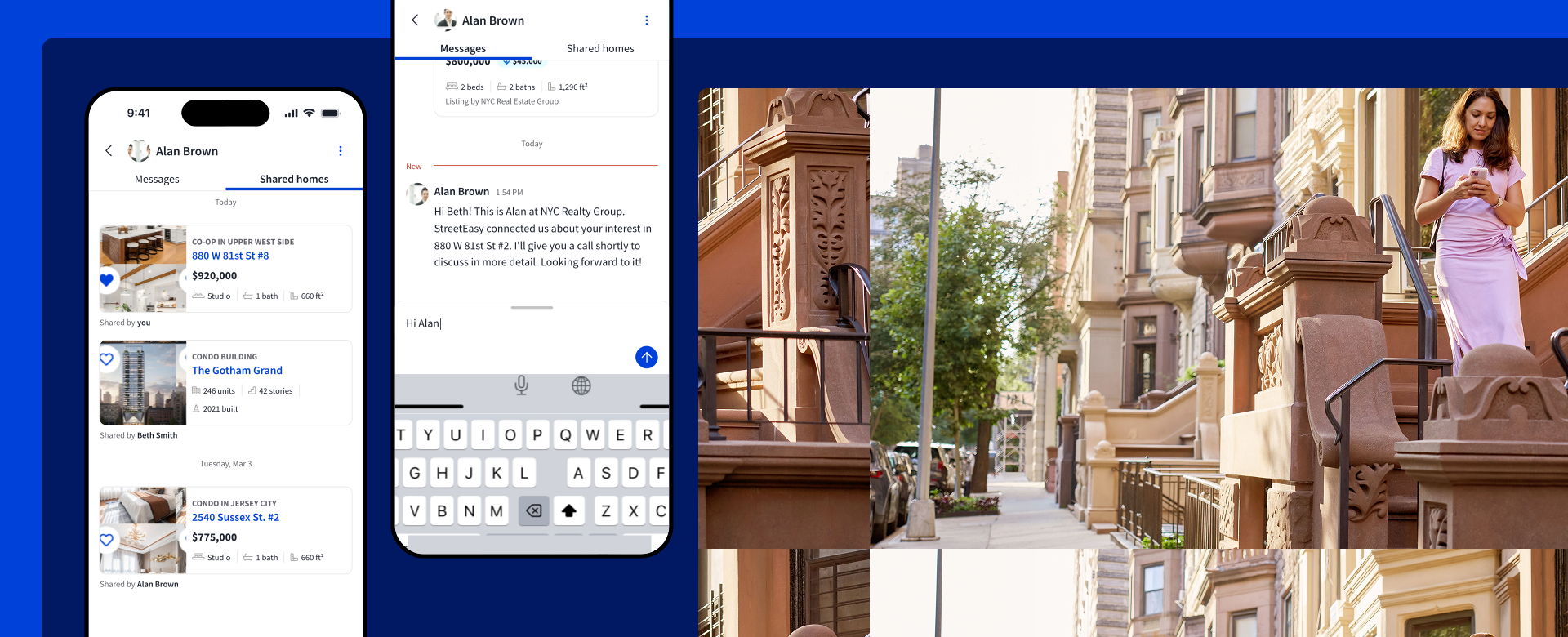

The process of searching for a home to buy can feel overwhelming and disorganized. That’s why StreetEasy Inbox℠ is here to simplify your home search. Keep track of your conversations with agents, plus the for-sale homes you’re sharing and touring. Forget switching between texts, emails, and notes — the inbox keeps it all together.
Lorem ipsum

Accessing StreetEasy Inbox℠
Access the inbox by logging into StreetEasy, either using the website on desktop or the StreetEasy app for iOS or Android. We recommend using the app for the best experience.
Make sure you have the latest version of the StreetEasy app to access StreetEasy Inbox℠. In the app, visit the Profile tab and ensure you’ve turned on push notifications, as well as in your device settings, to be notified whenever you receive a new message.
You can navigate to StreetEasy Inbox℠ from the bottom menu in the StreetEasy app or the top right menu on desktop. When an agent replies to you, the conversation will appear in your inbox as a chat.
How to use StreetEasy Inbox℠
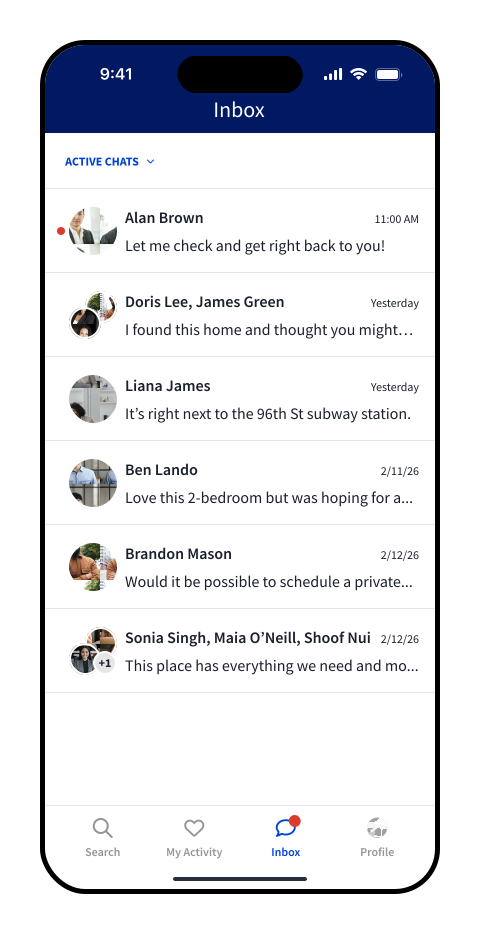
You’ll see all of your chats in a single panel.
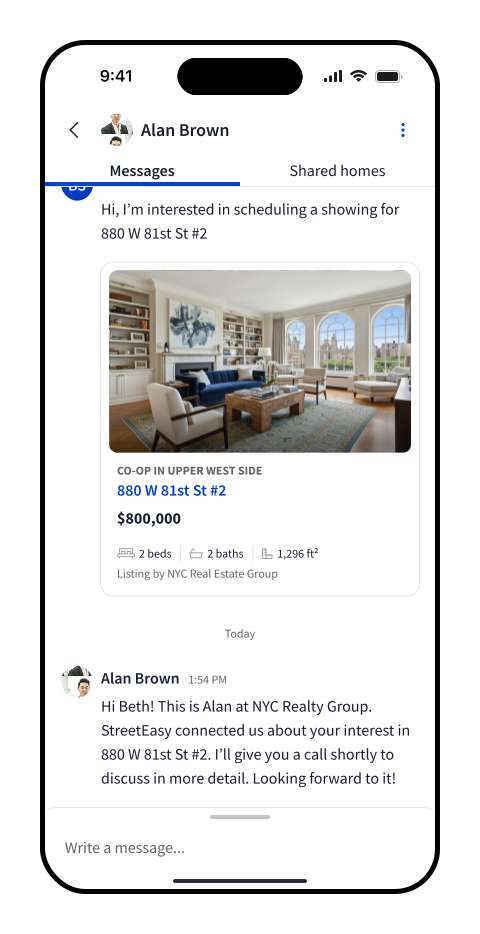
Select any chat to open it. In the app, you’ll see two panels, Messages and Shared homes, as tabs when you open a chat. On desktop, you’ll see a middle panel showing the selected chat, where you’ll send and receive messages with the agent. For both, a panel to the right contains listings shared within that conversation.
Filter or archive chats
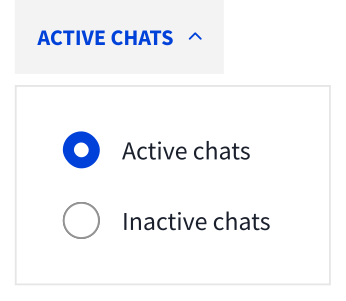
Use the dropdown above your list of chats to switch between Active or Inactive chats. Inactive chats are those that have been archived, blocked, or reassigned to another team member; all others are Active.
You can also archive chats, or if needed, report or block the sender. In the app, swipe left on the chat to see these options; on desktop, use the menu at the top right of the chat.
Share homes to your StreetEasy Inbox℠ chats
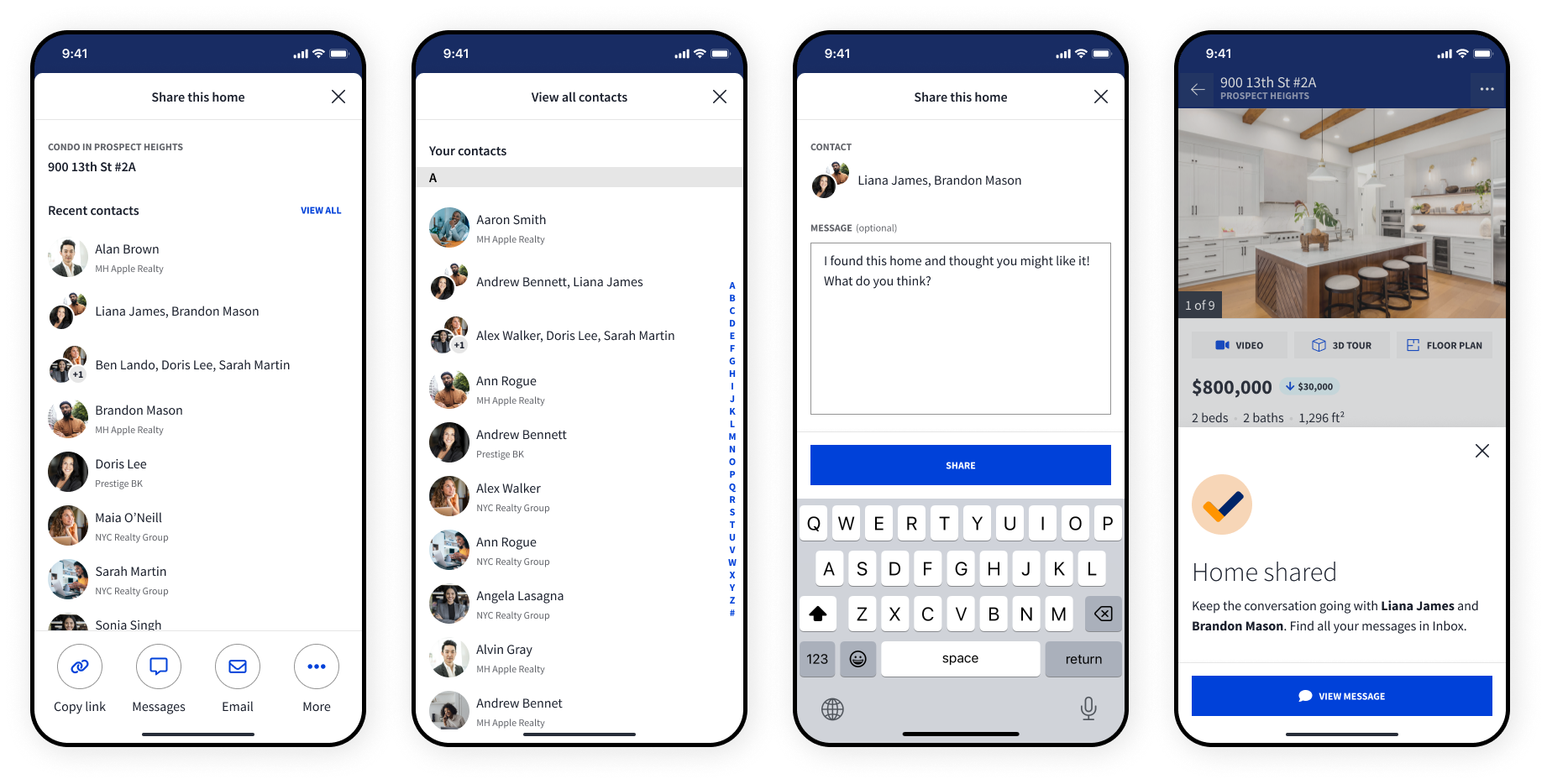
You can share homes to your StreetEasy Inbox℠ chats directly from a listing. From the listing page on the app or desktop, use the SHARE button to bring up a list of your chats. Choose the appropriate one, write your message, and select SHARE to send the listing to the selected thread.
Chatting with multiple agents
Agents can add you to group chats with other agents on their team, or connect you with agents on their team one-one-one. You’ll see the conversation appear either in the form of a group chat, or the agent connected with you will send an individual chat introducing themself.
Start using StreetEasy Inbox℠ today to simplify your home search. For the best experience, ensure you have the latest version of the StreetEasy app for iOS or Android, and turn on push notifications in your device settings and the StreetEasy app.