A more immersive listing experience — now available for your Building Showcase listings on StreetEasy
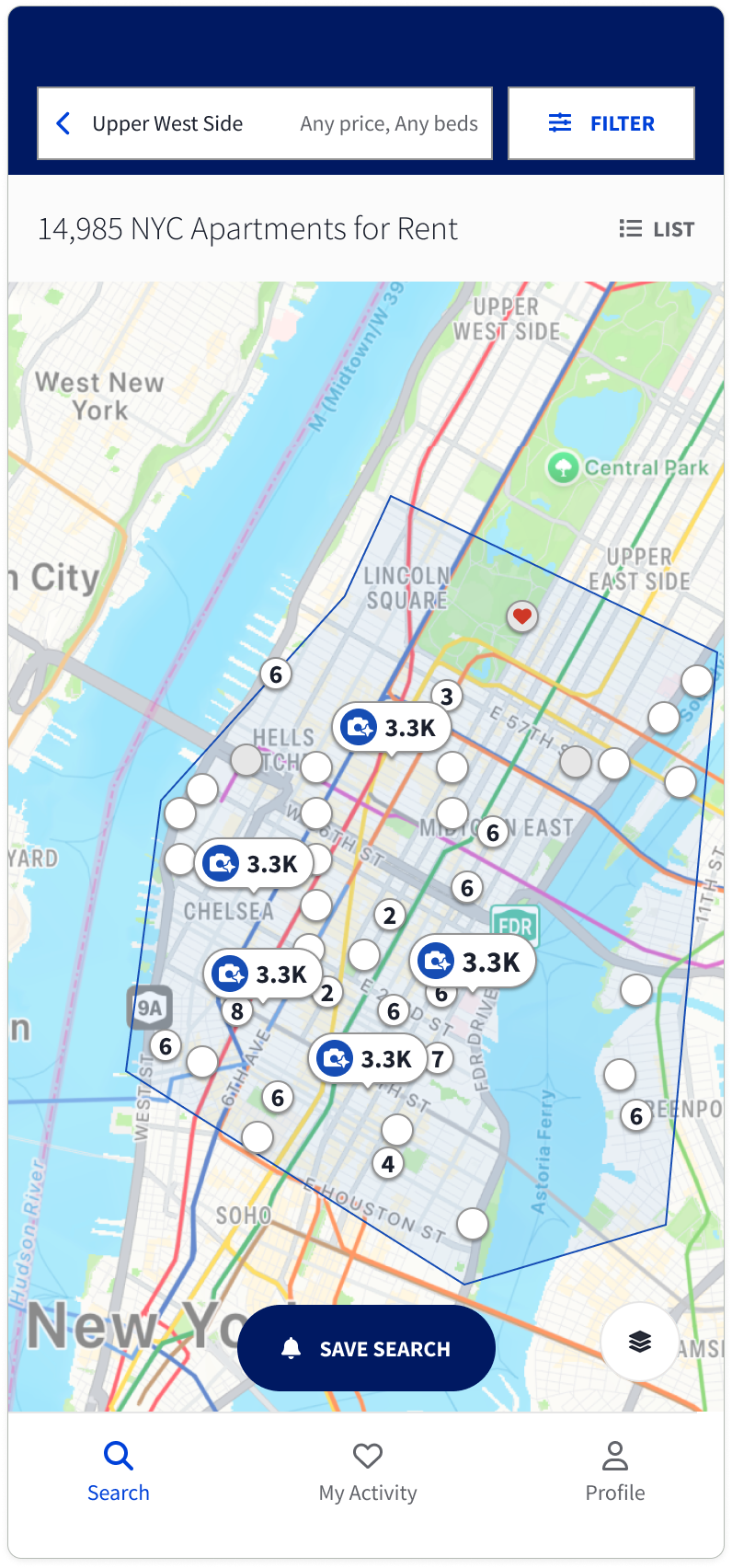
Your Building Showcase listings just got a serious upgrade. Premium listing pages — an immersive, full-screen experience with a room-by-room photo gallery that captivates renters and buyers from the first click — are now live on eligible Building Showcase listings, complete with distinctive map markers and an enhanced gallery badge in search results.
That means more visual impact, with listings seeing a 15% increase in time spent on the listing page, 9% more photo and media engagement, and 57% more map clicks — delivering a presentation that matches the quality of the buildings you’re marketing.
What are premium listing pages?
Premium listing pages work at every stage of the renter or buyer journey, drawing attention in search results and delivering an immersive experience that helps increase engagement with your listing.
Before users land on your listing, a distinctive map marker and enhanced gallery badge in search results signal an elevated experience, helping your buildings stand out and driving more clicks to your properties.
Once they click through, renters and buyers viewing your listings see:
- Immersive imagery with a smooth, easy-to-navigate gallery
- A room-by-room photo gallery with descriptions, letting viewers move through the space in an intuitive sequence, in the order you choose — e.g. bedroom to kitchen to outdoor space
- A polished, elevated presentation that makes every listing feel a cut above the rest

Which Building Showcase listings are eligible?
Premium listing pages are now available on the following Building Showcase tiers:
- Sales — All tiers
- Rentals — Platinum and Platinum+ only
If your listings are currently active or in contract and fall within one of these plans, the premium experience is already live for renters and buyers: no setup required.
You’re in control — turn it on or off anytime
Premium listing pages are turned on by default for every eligible listing. But we know that one size doesn’t always fit every property or preference, so you have full control.
You can switch the premium experience on or off for any individual listing from the Photos and media tab when managing your listing, whether you’re on desktop, your phone’s web browser, or the StreetEasy app.
Make the most of your media
Now that premium listing pages are live, it’s worth taking a few minutes to organize the photos on your eligible listings. The room-by-room gallery is your opportunity to tell a visual story, guiding renters and buyers through the space the way you’d walk them through it in person.

Here’s how to get started:
- Open the Photos and media tab for any eligible listing
- Make sure the enhanced listing display setting is turned on
- Arrange your photos by room in your preferred order to take full advantage of the gallery experience
- Any new photos you add later will automatically go into a general “Other” bucket — simply drag and drop them into the right room and sequence whenever you’re ready
The better the organization, the more immersive the experience for renters and buyers. Need a hand? Visit our support center for step-by-step guidance on managing your premium listing page settings.
Available now on Building Showcase
Premium listing pages are now live for eligible Building Showcase listings. If your listing qualifies and the feature is turned on, renters and buyers are already seeing the upgraded experience.
Have questions or want to learn more about what’s included with Building Showcase? Contact us here, or email buildingsolutions@streeteasy.com.