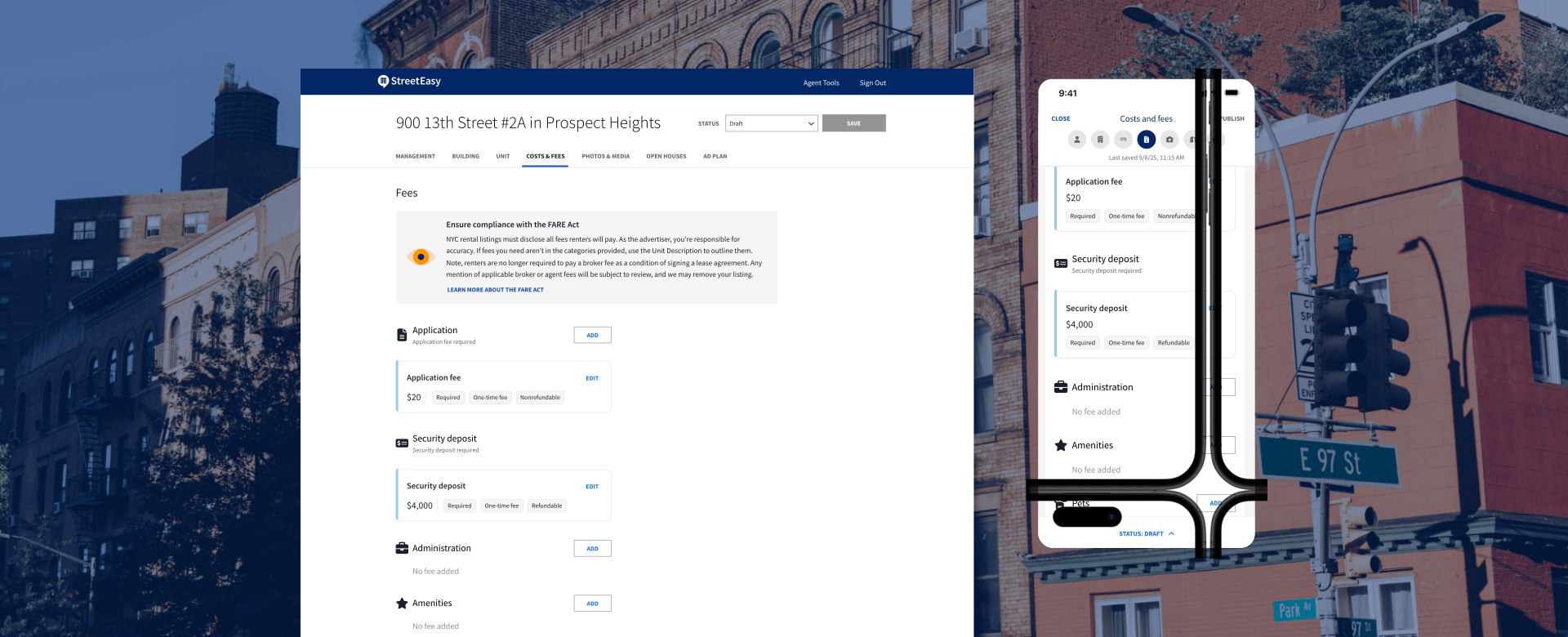

StreetEasy® and Zillow® are dedicated to making the rental search process simpler and more transparent for everyone. New York City’s passage of the FARE Act in June 2025 put new standards into effect regarding rental costs and fees, and we believe renters should feel informed when exploring their housing options. We’re also committed to helping our housing provider partners easily share this information with renters, which is why we’ve created a self-service tool that allows you to enter and manage detailed fee breakdowns for your listings.
This tool makes it simple and efficient to comply with NYC’s latest fee transparency regulations, and enables you to better qualify leads by clearly displaying all pricing details upfront. Here’s an overview.
Self-service fee management for housing providers
Transparency starts with you, our housing provider partners, so we’ve built a self-service tool that allows you to quickly enter and manage detailed fee information for your listings.
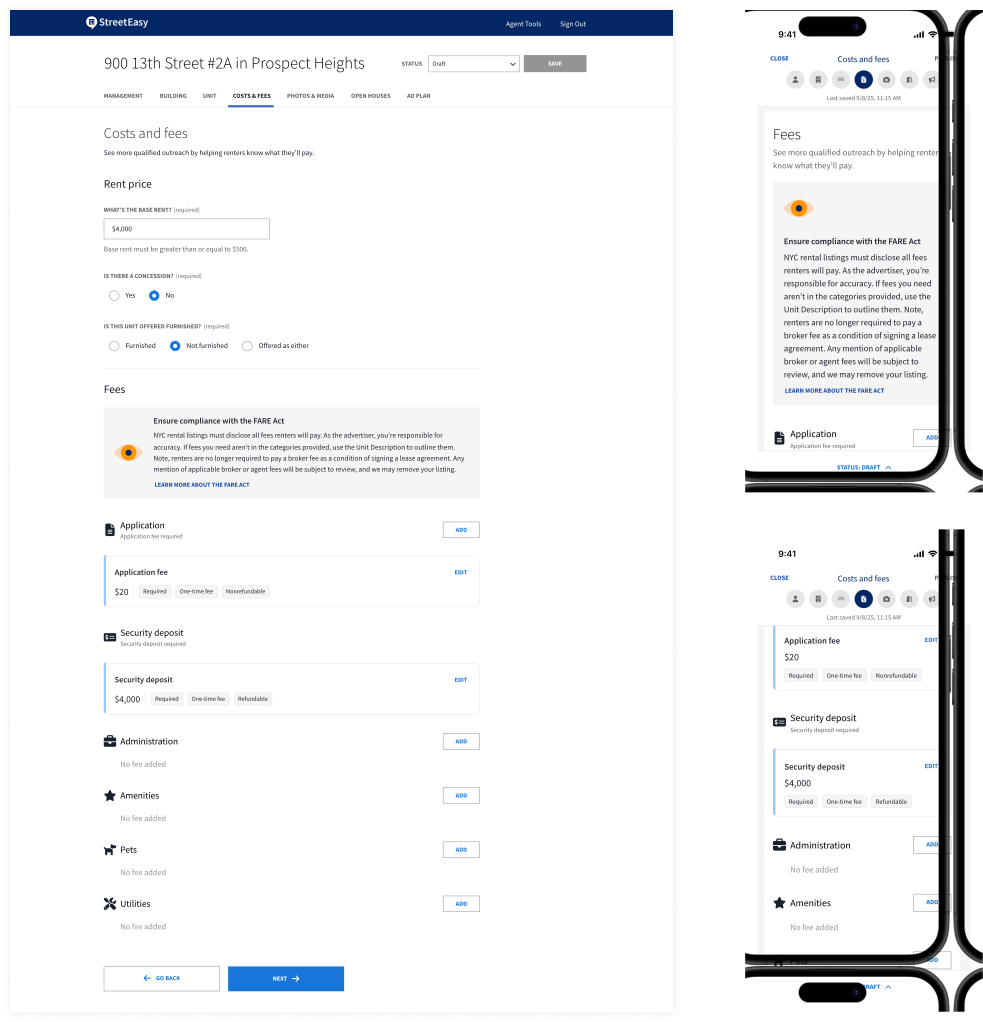
On desktop or the StreetEasy Agent Tools app for iOS or Android, when you create or edit a rental listing, you’ll see a new COSTS & FEES tab where you can input all applicable fees to display on the listing.
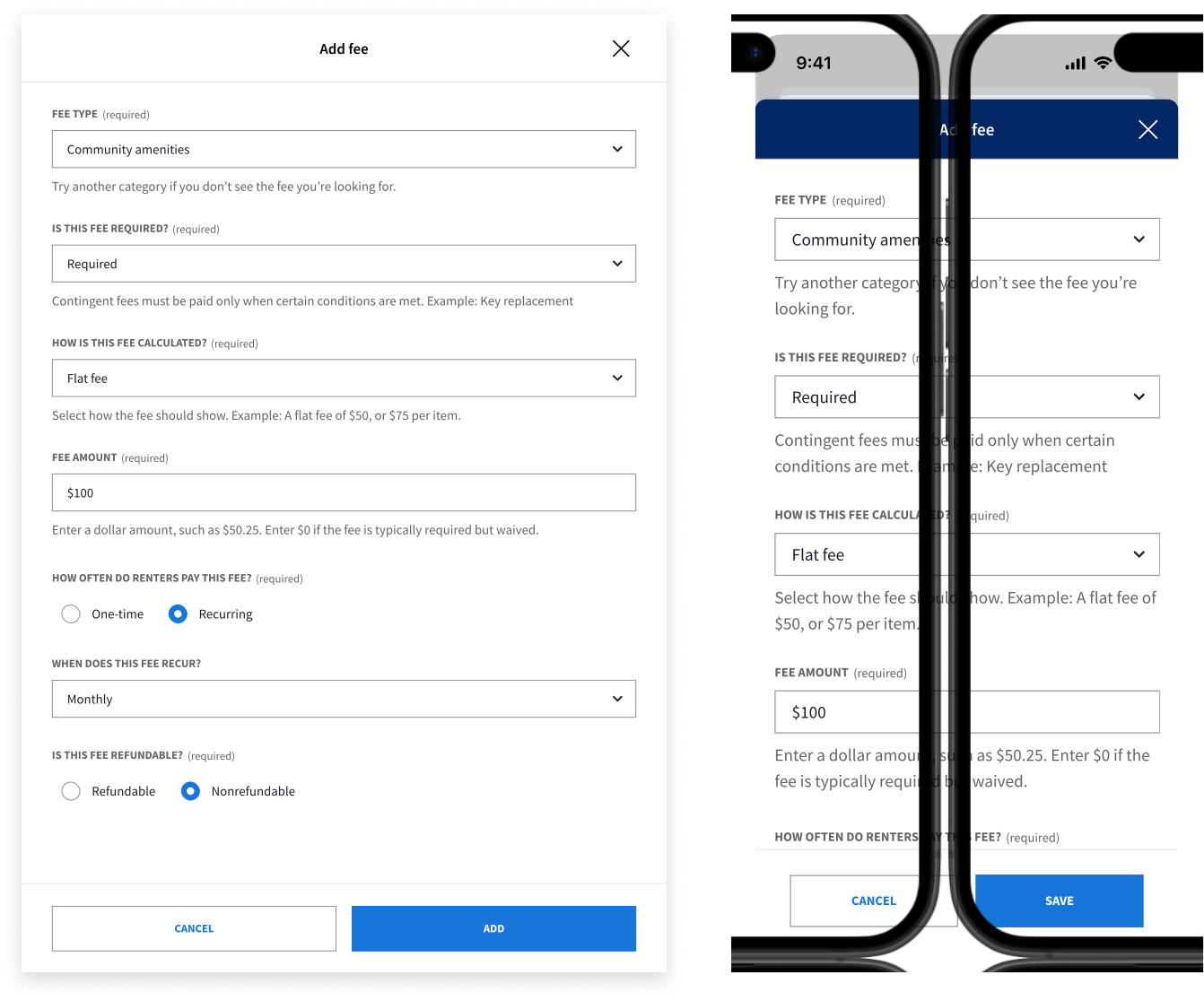
When you add or edit a fee, you can specify details like the fee type, amount, and how it’s calculated, and whether it’s required or optional, one-time or recurring, and refundable or nonrefundable.
Syndication
If you currently syndicate your rental listing data on StreetEasy, you can now include fee data in your syndication following our standard XML feed format. For additional assistance, please contact us at feeds@streeteasy.com.
What renters see
To help give renters a more complete picture of what they’ll pay, we’ve made improvements to how costs and fees are displayed across StreetEasy rental listings.
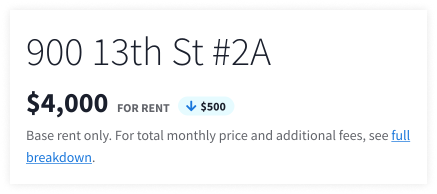
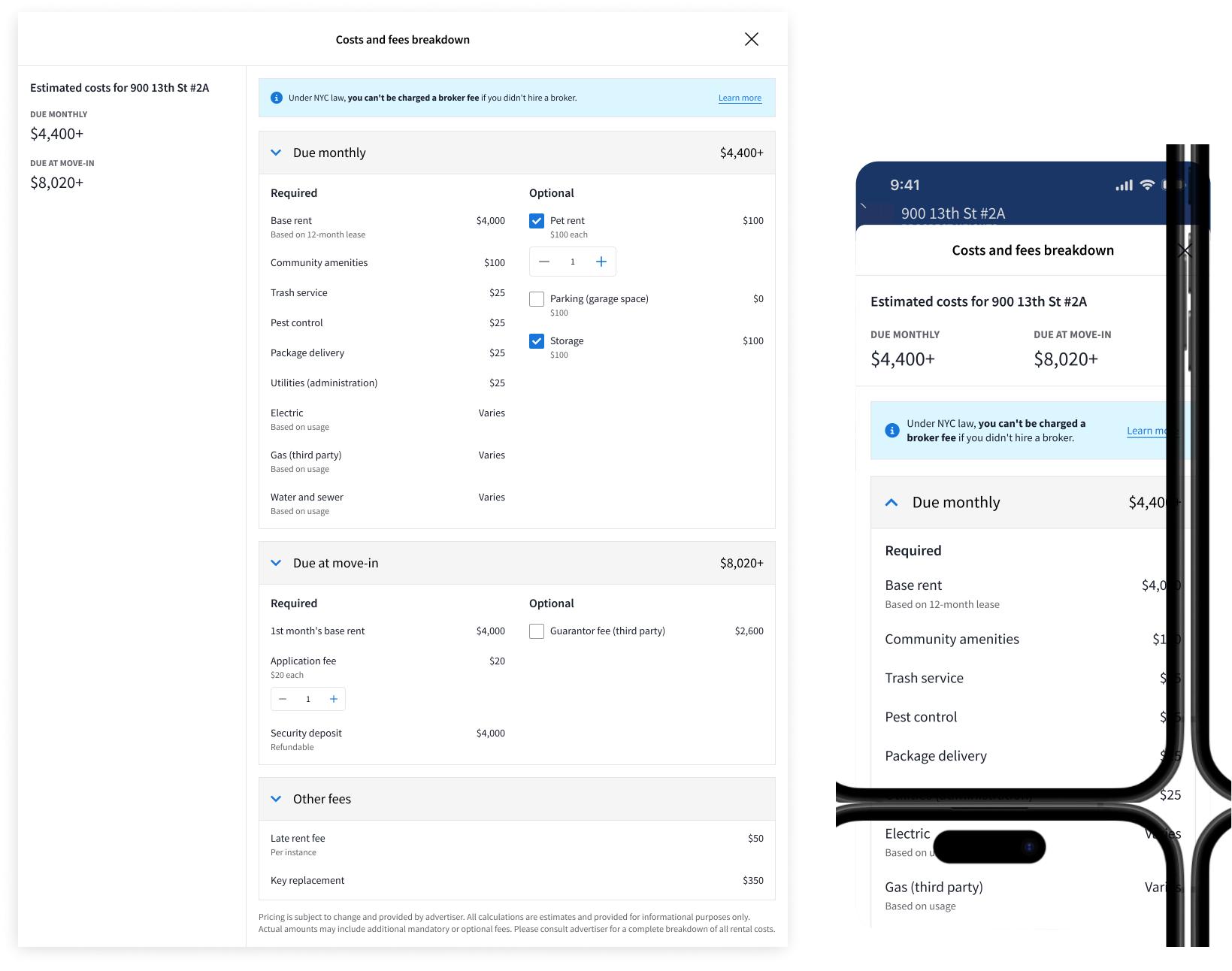
On a StreetEasy rental listing, when a renter clicks to see the full breakdown, they will see:
- Detailed costs and fees breakdown: Renters will see all costs and fees you’ve provided for the listing, grouped into monthly recurring charges, move-in costs, and other fees.
- Clearly labeled fees: Required costs such as monthly base rent, security deposit, and application fees are always displayed first, followed by optional costs like pet rent, storage fees, and parking.
- Customization options: Within the costs and fees breakdown, a calculator tool allows renters to tailor their estimated total costs by selecting optional fees (pets, storage, parking, etc.) and specifying quantities (e.g. how many renters will be applying, number of pets, storage units needed).
How to get started
To start adding costs and fees to your rental listings manually, log into your StreetEasy account and go to Manager Tools > Listings, or open the Agent Tools app and go to the My Listings tab. To add costs and fees to an active listing, edit the listing and go to the COSTS & FEES tab; to add them to a new listing, be sure to fill out this tab before publishing.
If you’re using syndication for your rental listings on StreetEasy, check out the updated feed format that now supports fee data. Please reach out to feeds@streeteasy.com with any questions.
Thank you for taking an important step toward simplifying the rental process through greater transparency and clarity. Together we can continue to build trust between renters and housing providers.