
Disclaimer: The contents of this article are industry best practices which were sourced from StreetEasy data and interviews with real estate agents, unless noted otherwise. Any scripts provided are only meant to act as examples and are not required. Nothing in this presentation is intended to be legal advice. For specific questions about any duties or obligations arising out of a real estate transaction, check your local and state licensing laws and regulations, contact your broker, or an attorney.
Experts Teams gives participating Experts a simple way to reassign connections, monitor performance, and hold their team accountable — leaving more time to focus on superior client service.
If you’re a Team Lead, follow these tips and tricks for managing your team using the Agent Tools mobile app or your StreetEasy agent account.
Reassign connections
As an Expert, speed to lead is imperative to ensure you’re providing timely, quality service to your connections. Team Leads can receive a high volume of connections, and the Experts program requires you to respond within 30 minutes during business hours (9:00am – 6:30pm ET). To better manage your flow of connections, you can reassign them to other team members.
Reassigning connections is easy on desktop or the Agent Tools mobile app for iOS or Android. Go to Experts > Connections and find the connection, then click REASSIGN and select the appropriate team member.
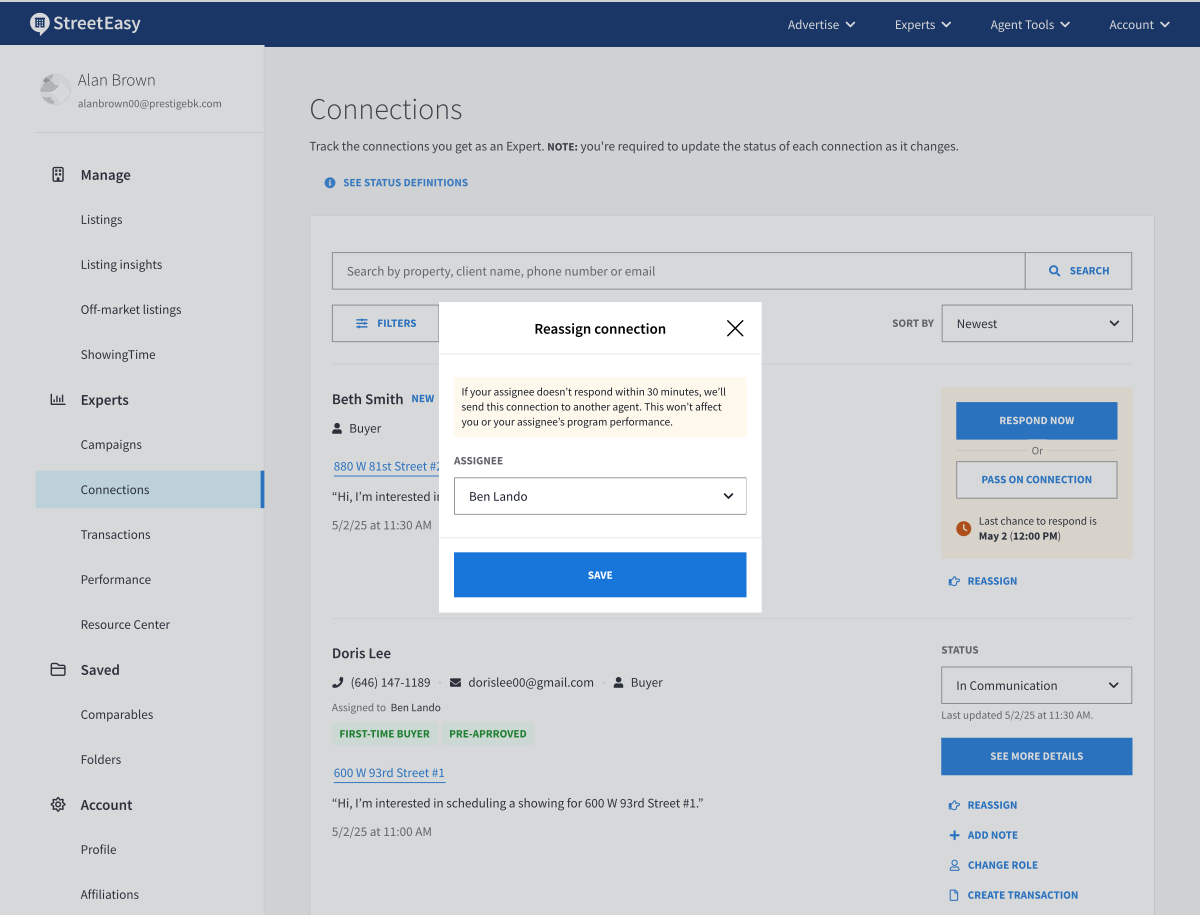
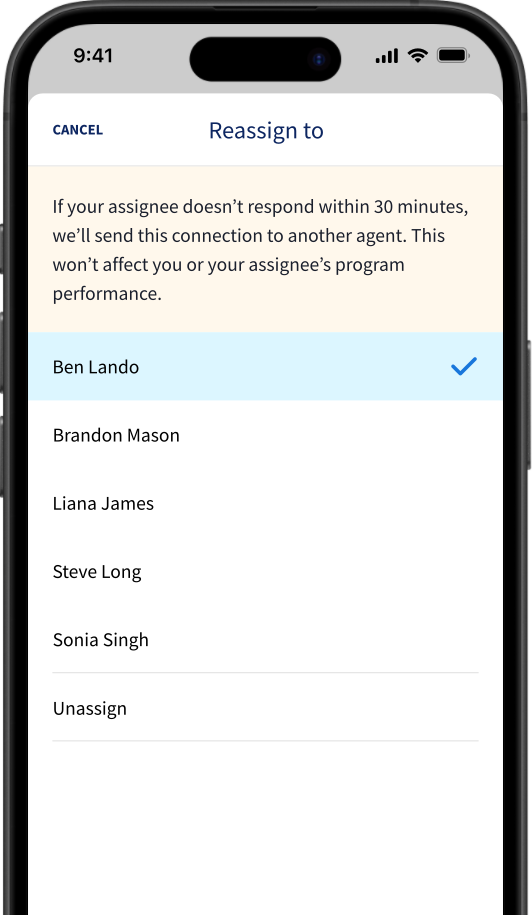
Screen images simulated
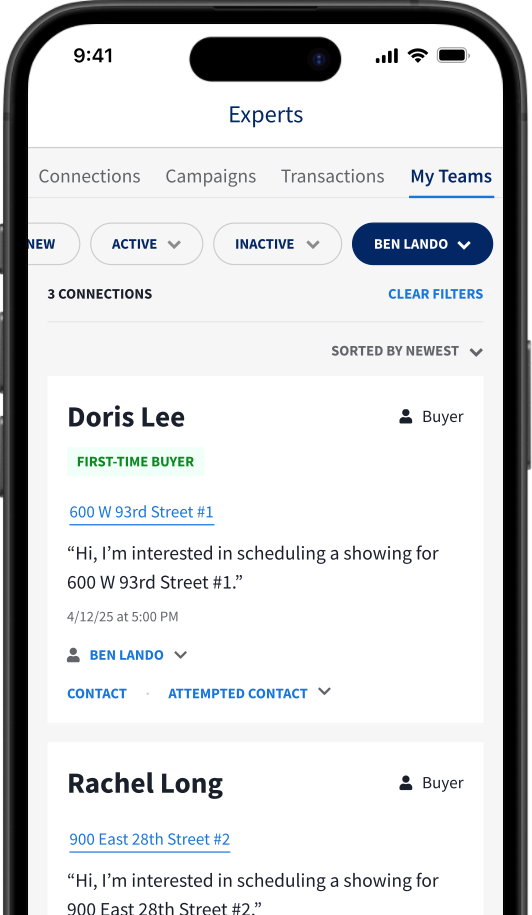
View statuses of reassigned connections
Reassigned connections remain visible in your Connections tab. You can check their status at any time by filtering your connections by Assignee. Team Leads are responsible for holding team members accountable to the Experts Program Performance Standards, including regular status updates for each connection.
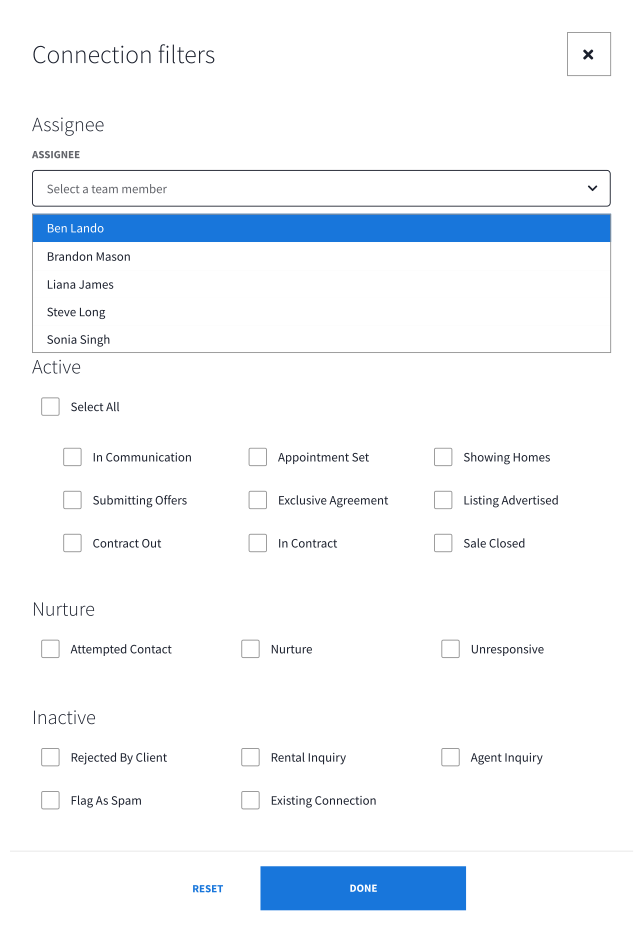

Screen images simulated
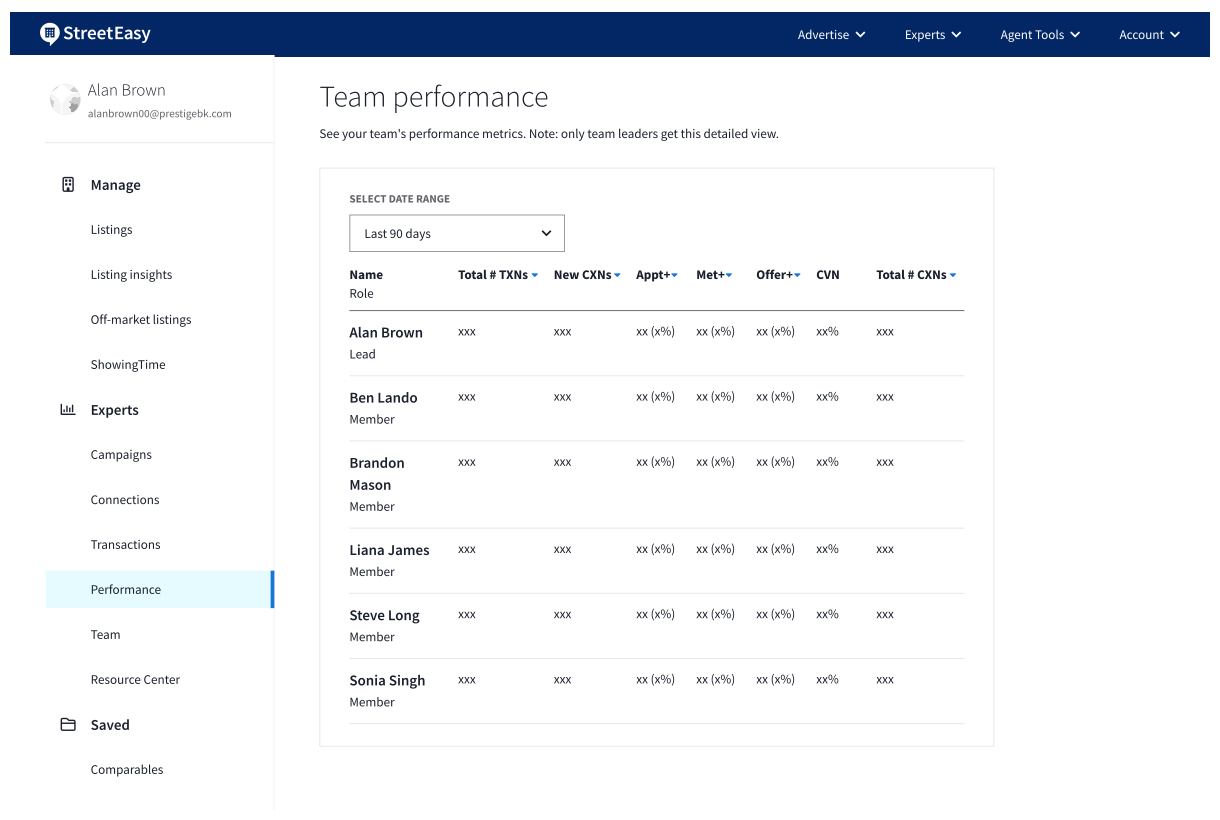
Check your team’s performance
On desktop, go to Experts > Performance and scroll to the Team performance section to see your team’s metrics. For more on the Experts Performance Dashboard, see our detailed overview.
Access your team on the go
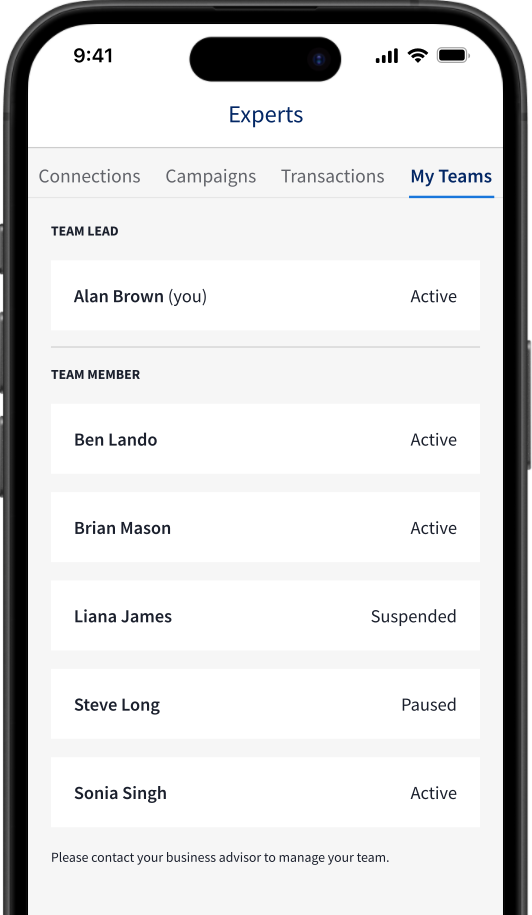
You can access your Experts Team at any time from the Agent Tools mobile app. Go to the Experts section and find the My Teams tab, where you’ll see a list of your current team members and their status (Active, Paused, or Suspended). To make changes to your team, please contact your Business Advisor.
Growing your team?
Your Business Advisor is here to help. Reach out to discuss growing your Experts Team.
See also: Experts Teams: Tips for Team Members