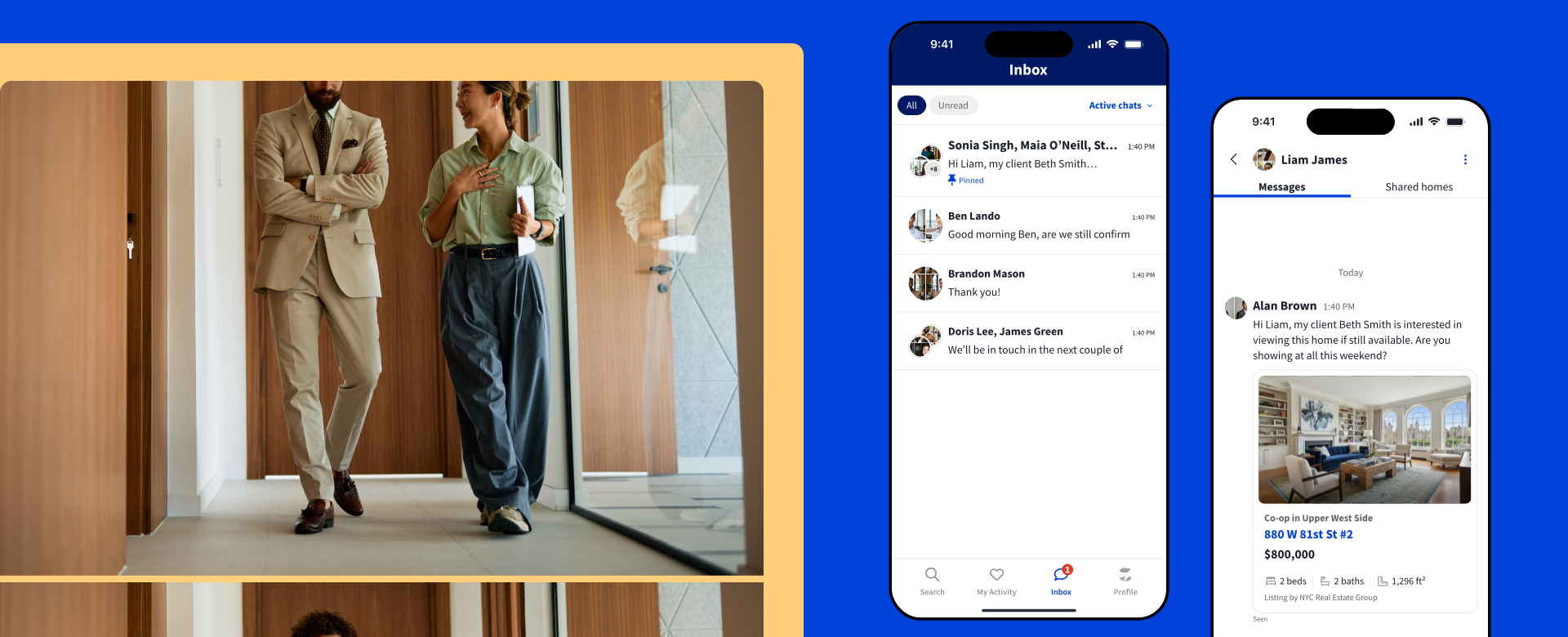

NYC real estate agents and home shoppers turn to StreetEasy as a trusted platform for connecting with one another and completing the journey of buying a home. Now, agents can communicate directly on our platform using StreetEasy Inbox℠.
Agents with a StreetEasy account can use Inbox to message other agents on the platform. For agents who are StreetEasy Experts, Inbox has additional functionality, allowing you to share homes directly with buyers, message buyers, and include members of your team in conversations.
Inbox puts your eligible conversations all in one place within StreetEasy — no more juggling texts and emails on and off the platform. Use it to start effortlessly communicating and collaborating right here on StreetEasy.
For all agents, here’s how to use Inbox to collaborate with other agents:
And if you’re a StreetEasy Expert, here’s how to use Inbox’s additional functionality to collaborate with buyers and team members:
How to use StreetEasy Inbox
Accessing your Inbox
Access your Inbox by logging into StreetEasy with your account email, either on desktop or the StreetEasy app for iOS or Android. We recommend using the app for the best experience.
Make sure you have the latest version of the StreetEasy app to access Inbox. To be notified whenever you receive a new message, visit the Profile tab and enable push notifications.
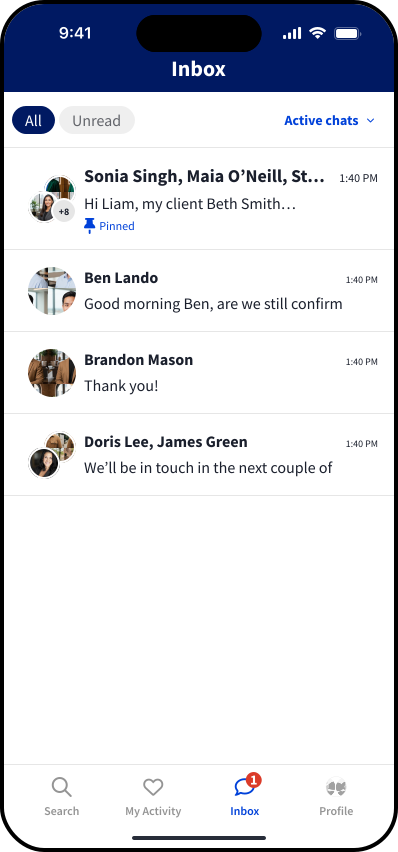
Navigate to your Inbox from the bottom menu in the StreetEasy app. Your Inbox conversations will appear here.

Messaging listing agents
If you’re working with a buyer and need to contact the listing agent(s) on a home, you can do so via Inbox.
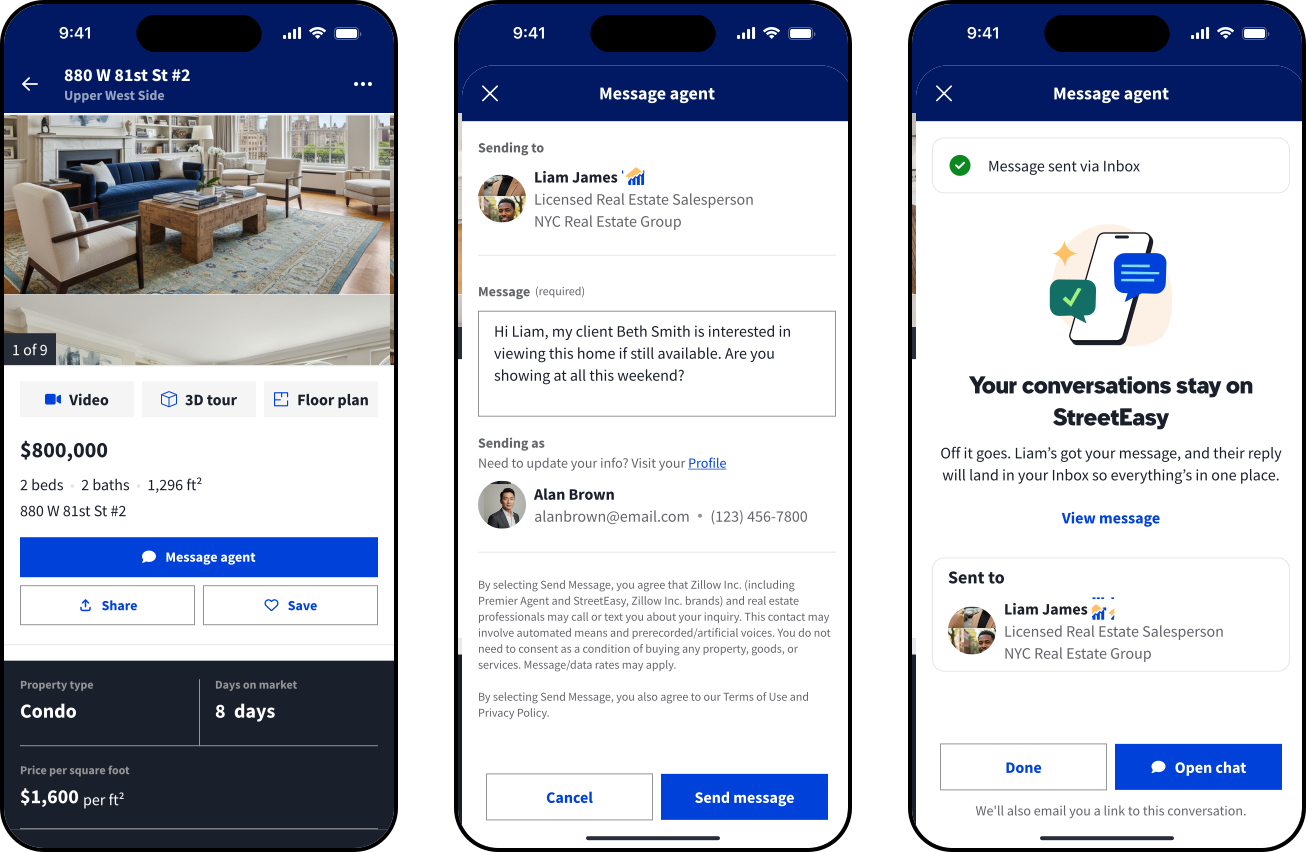
To message a listing agent, go to the listing within the StreetEasy app and select Message agent, then type in your message and send it. The listing agent will receive the message in their Inbox, and you’ll see the conversation in your Inbox as well. If the listing has more than one listing agent, you can send a message to all agents on the listing. This creates a group chat between you and the listing agents.
Managing your conversations
Your list of Inbox conversations will show in a single panel. You’ll see options to filter chats by read status or active/inactive. Inactive chats are those that have been archived, blocked, or reassigned (Experts only); all others are Active.
Select any chat to open it, where you’ll see two tabs. The Messages tab is where you can communicate with the other member(s) of the chat. The Shared homes tab contains the listing for which you messaged the agent(s) on the listing.
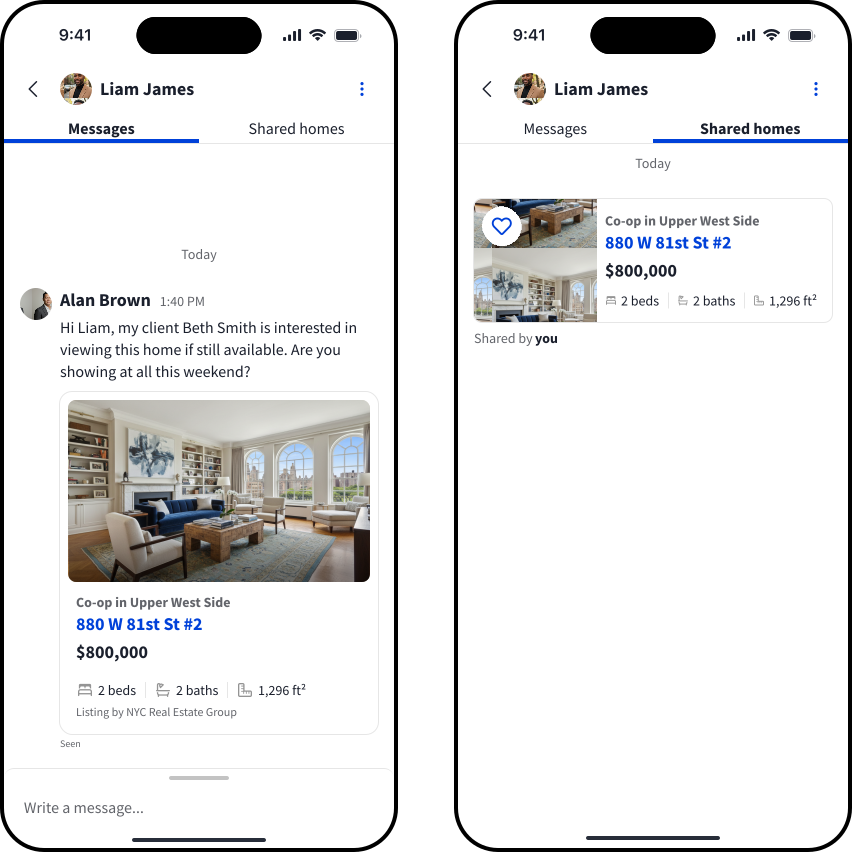
Tap the name(s) at the top of a chat to see all members of the conversation.
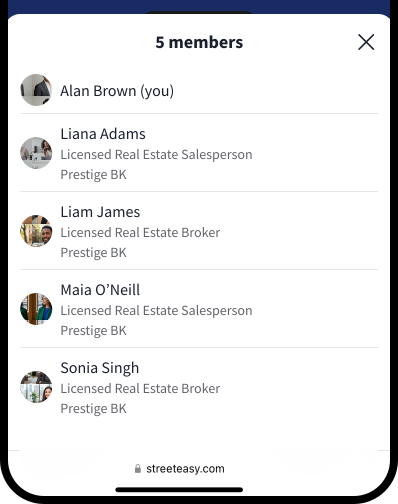
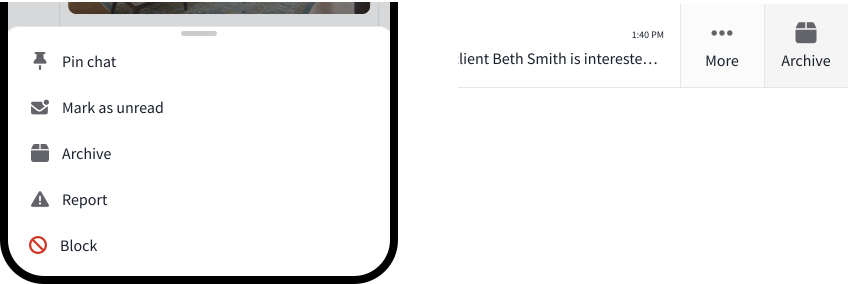
You can also pin chats, archive chats, mark chats as read or unread, and if needed, report or block the sender. To see these options, use the top-right menu within a single chat, or swipe left on the chat within the list.
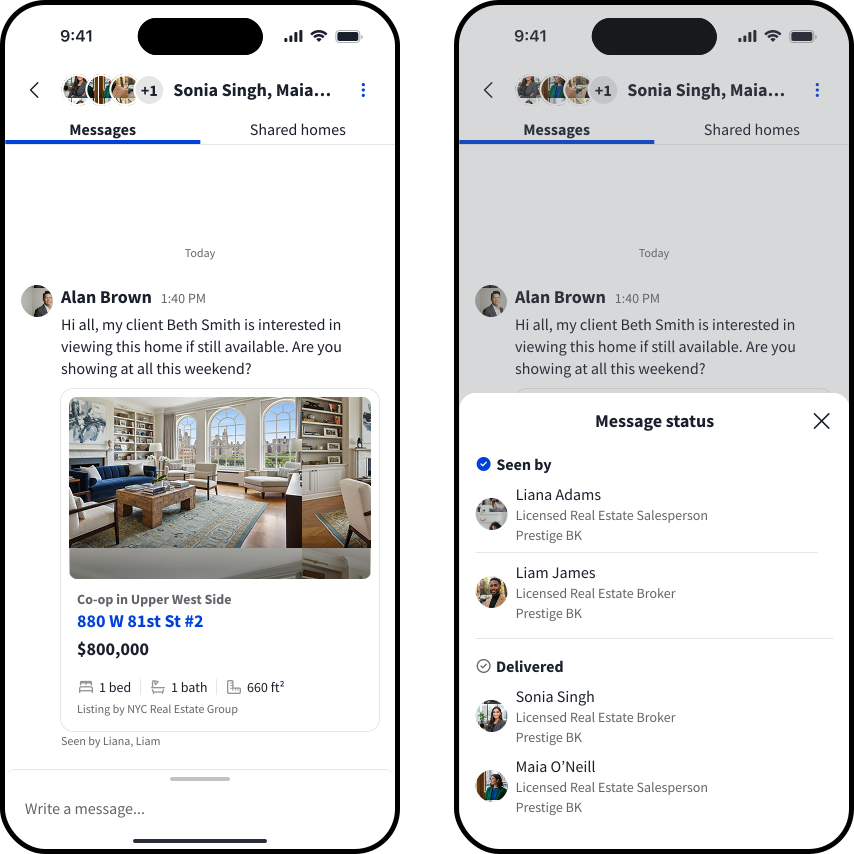
In a chat, below a message you’ll see its read status (“Seen by [name]” or “Delivered”). Tap to see which chat member(s) have seen the message.
Inbox for StreetEasy Experts
StreetEasy Experts using Inbox can enjoy added functionality, including messaging buyers, sharing listings with buyers, adding members of your team to conversations, and reassigning existing chats.
Messaging buyer connections
Upon receiving a buyer connection, choose RESPOND NOW in the Agent Tools app to send a message to the buyer. After sending, you’ll see the conversation in your list of Inbox chats in the StreetEasy app. Use the chat to send and receive messages with the buyer.

Sharing listings with buyers
Experts can also use Inbox to send listings to buyer connections. On the StreetEasy app, find the listing and use the SHARE button to bring up a list of your Inbox chats. Choose the appropriate chat, write your message, then tap SHARE to send the listing to the selected chat. If you need to send the listing to a connection who’s not in an existing chat, tap VIEW ALL to see your full list of connections.
When you share a listing with a connection directly through StreetEasy InboxSM and they visit the link, you’ll be the only agent who appears on the listing.

Using Inbox as a Team Lead
Experts who are Team Leads within the program can include team members when messaging a buyer, or reassign an existing chat to a team member.
Include a team member when messaging a buyer for the first time
RESPOND NOW to a new buyer connection, write your message, then select a team member to include in the chat. Note that the selected team member then becomes the assignee for the connection. Send your message to create a group chat between you, the connection, and the team member.
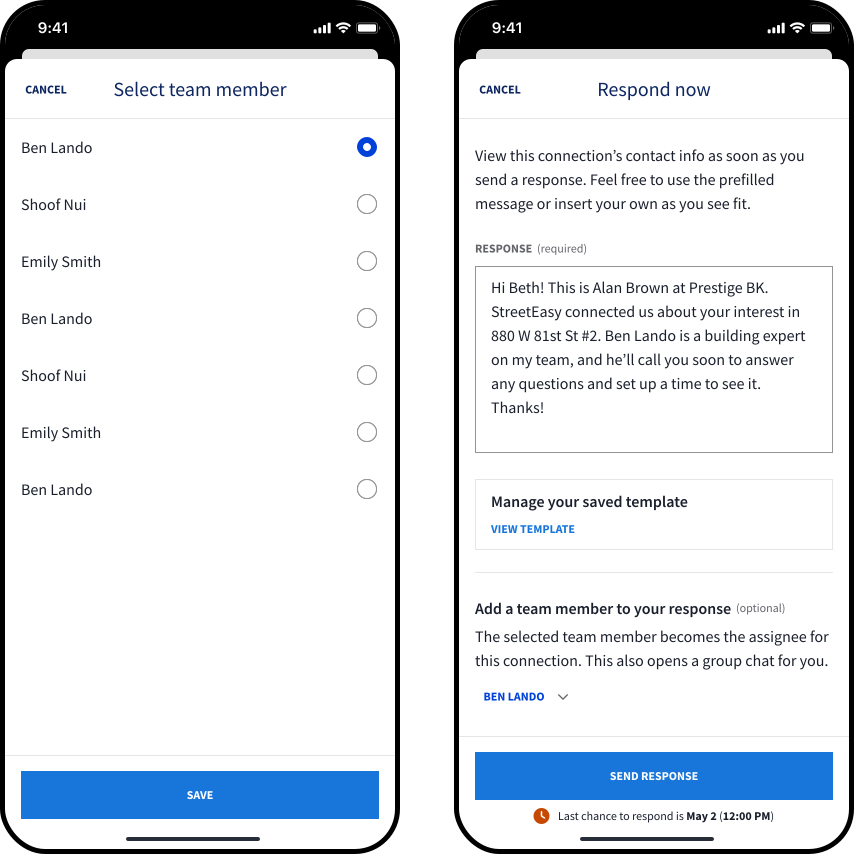
Reassign an existing chat
In your Connections tab, find the buyer and tap REASSIGN CONNECTION, then select a team member to reassign the chat to. Your existing chat with the connection will be archived, and the team member will need to start a new chat with the connection.
Start using StreetEasy InboxSM today for seamless on-platform communications that will help strengthen your relationships. For the best experience, ensure you have the latest version of the StreetEasy app for iOS or Android and turn on push notifications.